Text Remi
Message Remi on WhatsApp like a colleague.
Remi answers from your own memory, projects and connected apps, and each conversation is saved as a Remi chat too.
In the EU, Iceland, Liechtenstein and Norway
WhatsApp only lets assistants like Remi in where the law requires it, which is the European Economic Area.
Remi found the quote for me.
Connect your number
Say hello, then approve it on the website.
Remi only answers numbers connected to a Remi account, and connecting always proves the phone is yours.
- 1
Message Remi
Send a message to Remi's number in WhatsApp. A simple hello is enough.
- Hi Remi09:30
- 2
Get a link
Remi replies with a Connect account button. The link in it works for 15 minutes.
Connect account
 To use Remi here, first connect this WhatsApp number to your Remi account.
- 3
Approve it on remiapp.ai
Sign in, check the number and the account it will talk to, and select Connect.
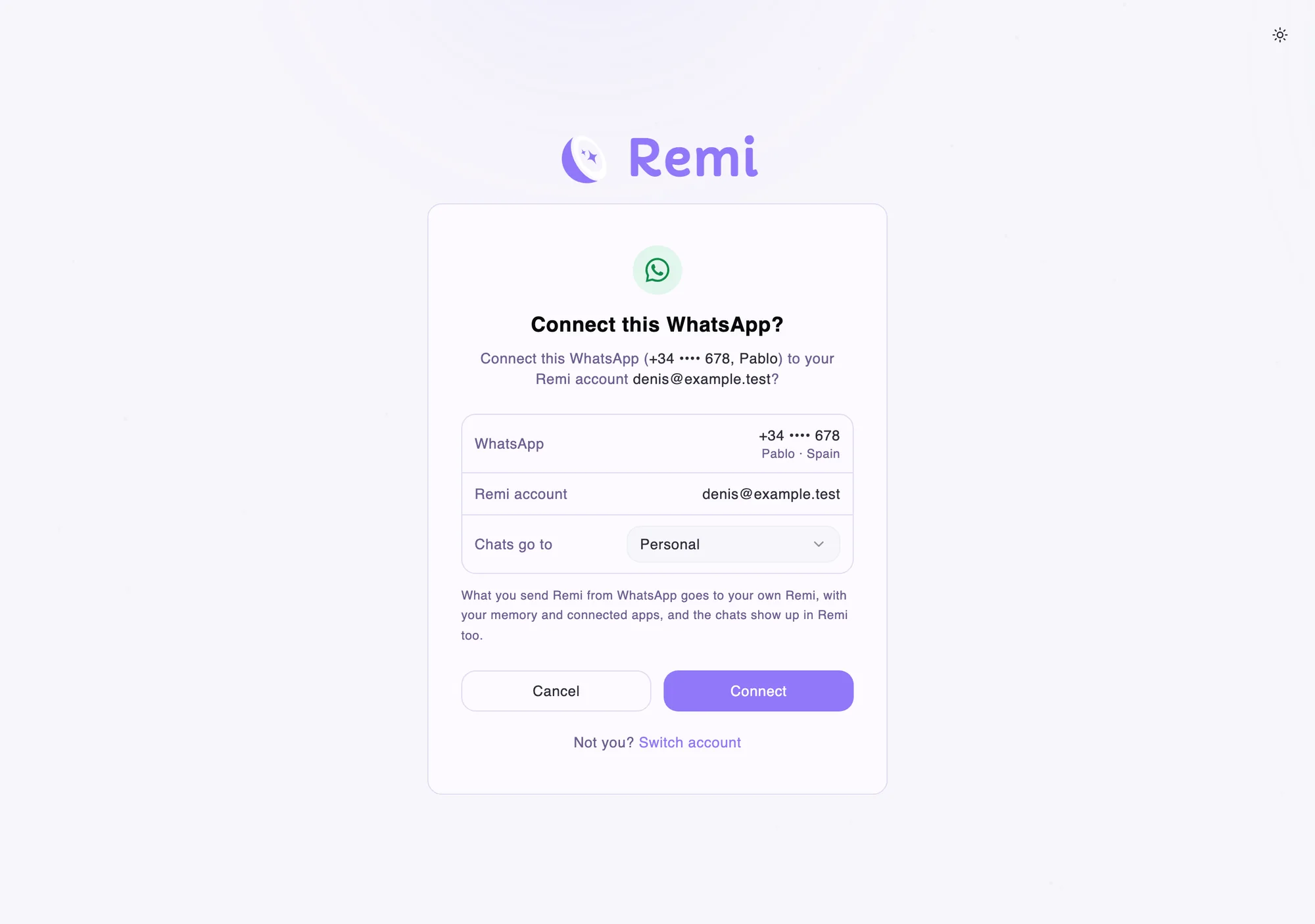
You connect once. After that, it works like any other chat on your phone.
In the chat
Send it what you'd send a colleague.
- 0:12
- I've added the four pallets of 100mm blocks to the Harrogate order.
WhatsApp voice notes, photos and files
Voice notes are turned into text, and photos and files arrive as attachments Remi reads.- Dunmore's blockwork quote was £18,400, sent on the 24th, and nobody has replied. Shall I draft a follow-up?
Sources Call notes, Tuesday
Answers say where they're from
When an answer comes from your documents, the sources are listed under it, and files come as links.A few commands
Send /new for a fresh chat, /stop to stop an answer, /help for the list, and /unlink to disconnect.
Where it works, and who can switch it off.
- Where it works
- It works across the European Economic Area, because WhatsApp allows AI assistants only where the law requires it. Remi doesn't answer a number from outside, even once it's connected.
- Your chats
- Each conversation is a Remi chat with the WhatsApp badge, so you can carry on at your desk.
- For teams
- An owner or admin of your account can switch WhatsApp off for everyone. Connected numbers stay connected, and nothing is answered or sent until it's back on.
- Disconnecting
- Send /unlink and confirm. You can connect again at any time.
Everywhere
Other places you can use Remi
- Remi DesktopOn your Mac or PCDownload
- Remi CLIIn your terminalInstall
- Remi for your browserBeside the page you're onAdd to your browser
- Remi for iPhone and AndroidOn your phoneGet the app
- Text RemiIn WhatsAppYou're here
Open WhatsApp and send Remi your first question.
Connect your number once, and after that Remi is just another chat on your phone.
Remiremiapp.ai