

Remi Desktop
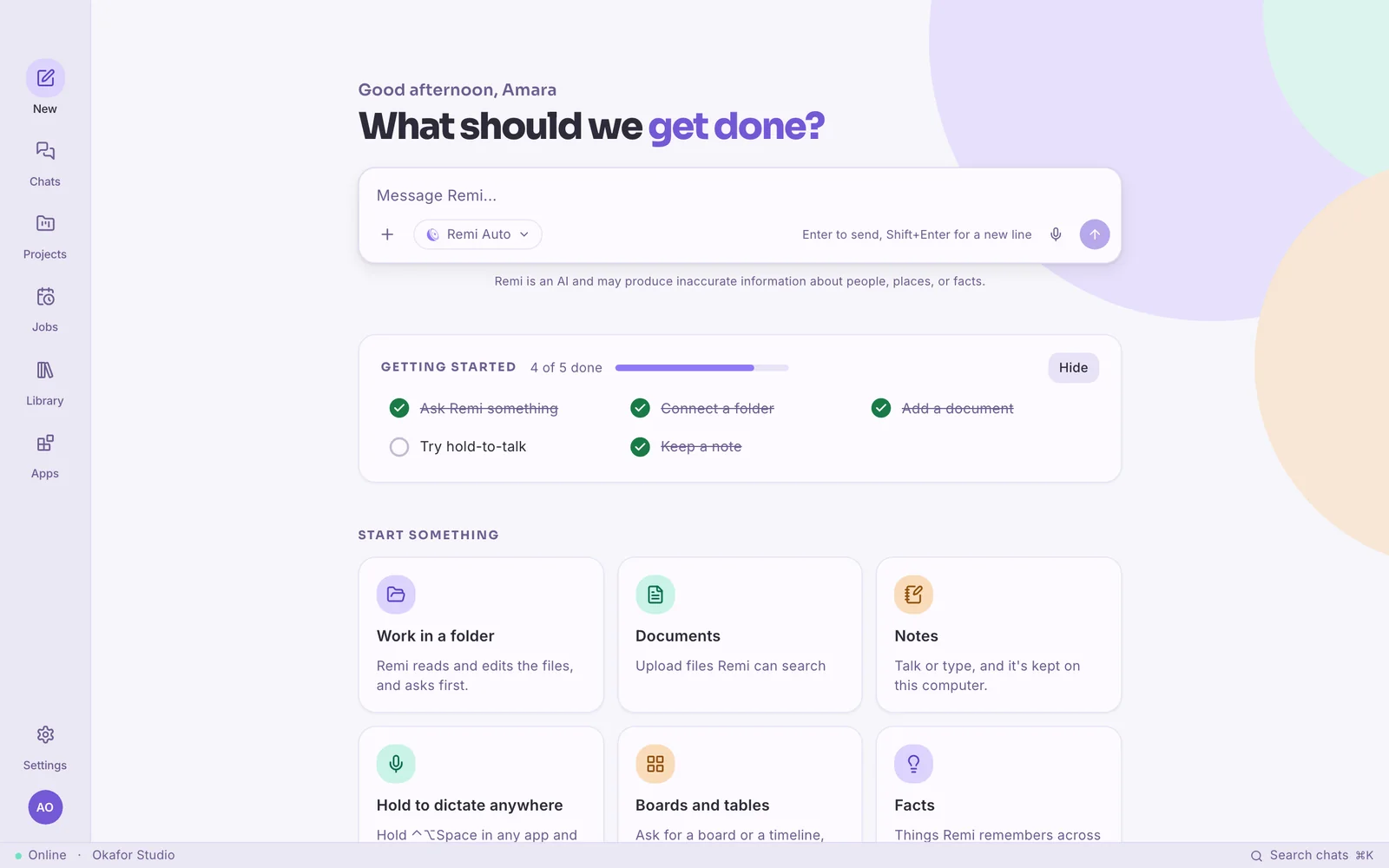
Remi Desktop gives Remi its own window on your computer.
Your chats, projects and documents get an app of their own. You can hold a key to dictate into any app, and Remi can work on the files in a folder, asking before it changes anything. It sits in your menu bar or system tray while you work, and keeps going when you step away.
Remi Desktop isn't out yet. It's coming to Mac, Windows and Linux, and you can ask for an invite in the meantime.
Remi Voice
Dictate into any app on your computer.
Hold ⌃⌥Space on a Mac, or Ctrl+Alt+Space on Windows and Linux, in any app. Say what you want to write and let go, and your words appear at your cursor, tidied up into proper sentences.
Um, so can we move the supplier call to Thursday, no wait, Friday at ten, and, like, tell Amara I'll send the agenda tomorrow
Can we move the supplier call to Friday at 10? I'll send Amara the agenda tomorrow.
In your folders
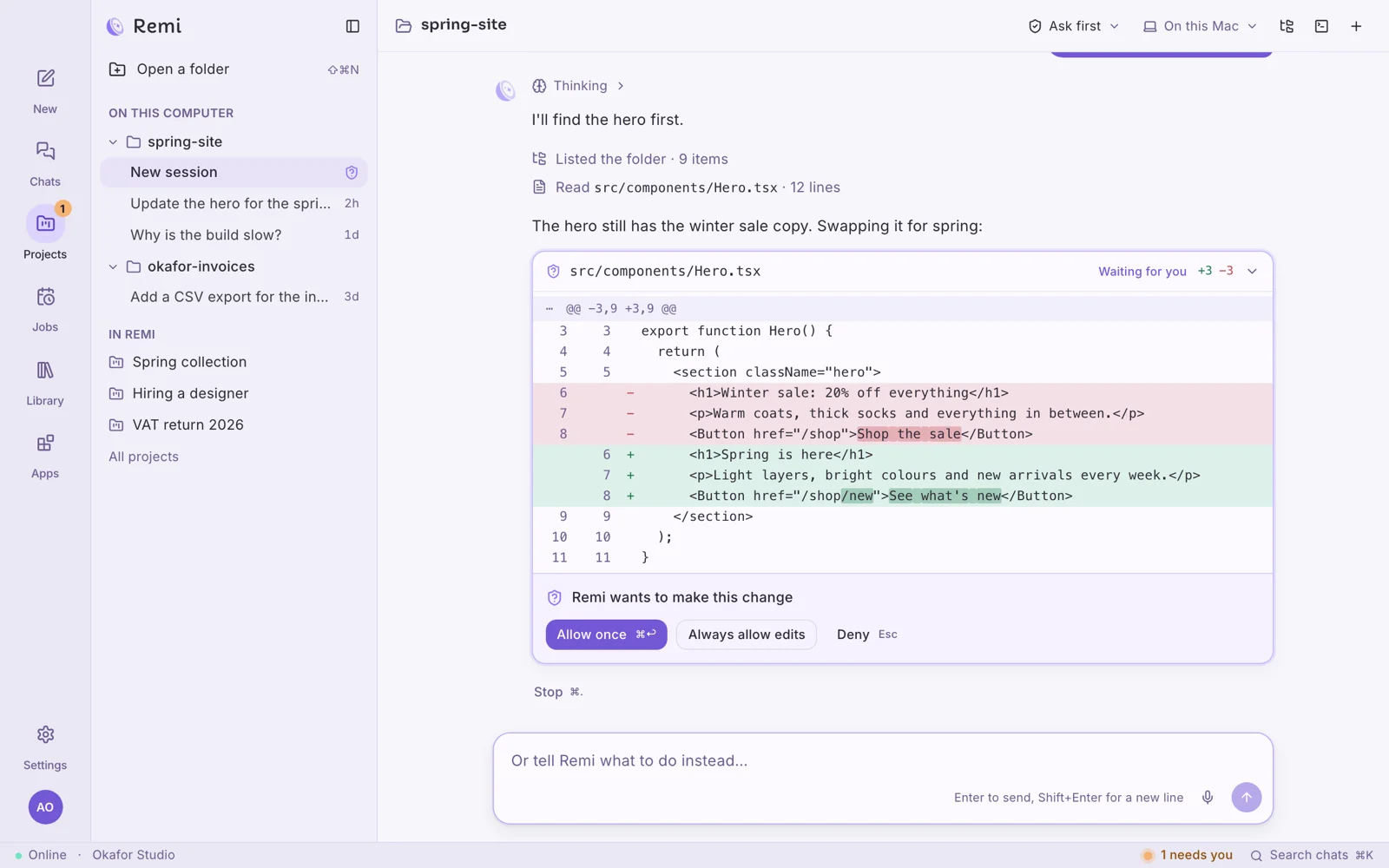
Keep the changes you like and undo the rest.
Inside a folder, Remi can read, search and edit files and run commands, and it shows what it makes right in the app: boards and tables you can rearrange, pages, PDFs and spreadsheets. Unless you say otherwise, it shows you each change and waits for your go-ahead.
You choose how much it does on its own
- Plan only
- Ask first
- Edit freely
- Autopilot
From your phone
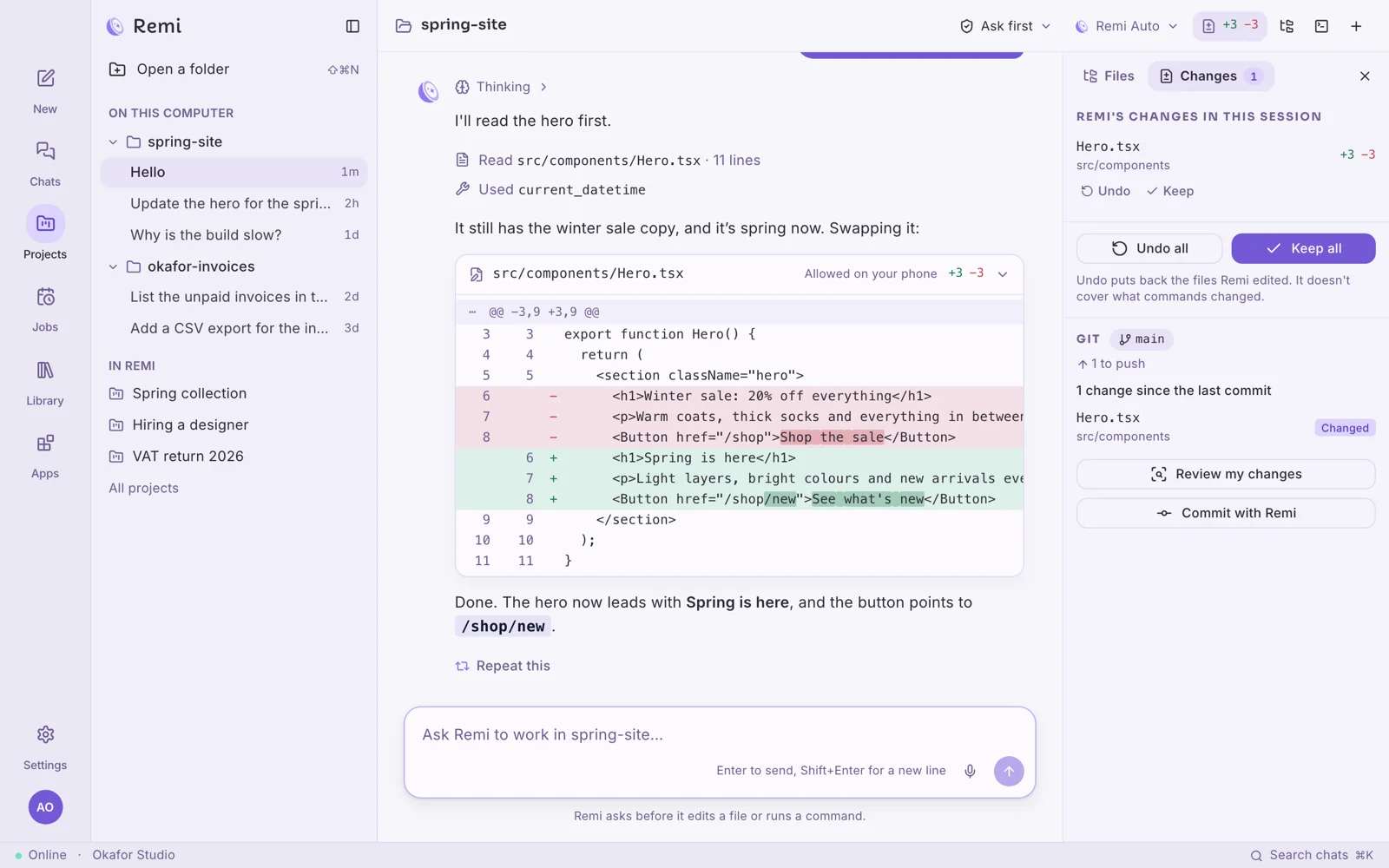
Coming soonApprove a change on your computer from your phone.
When Remi wants to change a file or run a command, the question shows up on your computer and on your phone. Allow it from either one and the change is made in the folder on your computer, with Undo and Keep in their usual place.
I said yes between meetings.
Before you download
Requirements
Signing in
Updating
Uninstalling
- Requirements
- A Mac with macOS 12 or later, a PC with Windows 10 or later, or 64-bit Linux, and a microphone if you want to use hold-to-talk.
- Signing in
- Choose Continue in your browser and sign in on remiapp.ai, or use a code sent to your email. Your chats, projects and documents are already there.
- Updating
- When there's a new version, Remi Desktop tells you, downloads it when you choose Update, and asks you to restart to finish. It only installs updates that are signed by Remi.
- Uninstalling
- On a Mac, drag Remi to the Bin. On Windows, remove it in Settings › Apps.
Everywhere
Other places you can use Remi
- Remi DesktopOn your Mac or PCYou're here
- Remi CLIIn your terminalInstall
- Remi for your browserBeside the page you're onComing soonSee what's coming
- Remi for iPhone and AndroidOn your phoneComing soonSee what's coming
- Remi on WhatsAppIn your WhatsApp chatsComing soonSee what's coming
Give Remi a window of its own.
Install it, sign in, and your chats, projects and documents are already there.
Remi Desktop isn't out yet. It's coming to Mac, Windows and Linux, and you can ask for an invite in the meantime.
 Remiremiapp.ai