Projects
Everything about a topic, in one place
A project is one topic: a client, a launch, a hire, a course you're studying. Its documents, tables, tasks and workflows sit together with what Remi has learnt about it, and you can ask about it from any chat.

Kinds of project
Start blank, or pick the kind of work it is
A blank project holds anything. Pick a kind and it comes with what that work needs, such as a plan, readings and a quiz for a course, ads and approvals for a campaign, or leads and quotes for a sales pipeline.
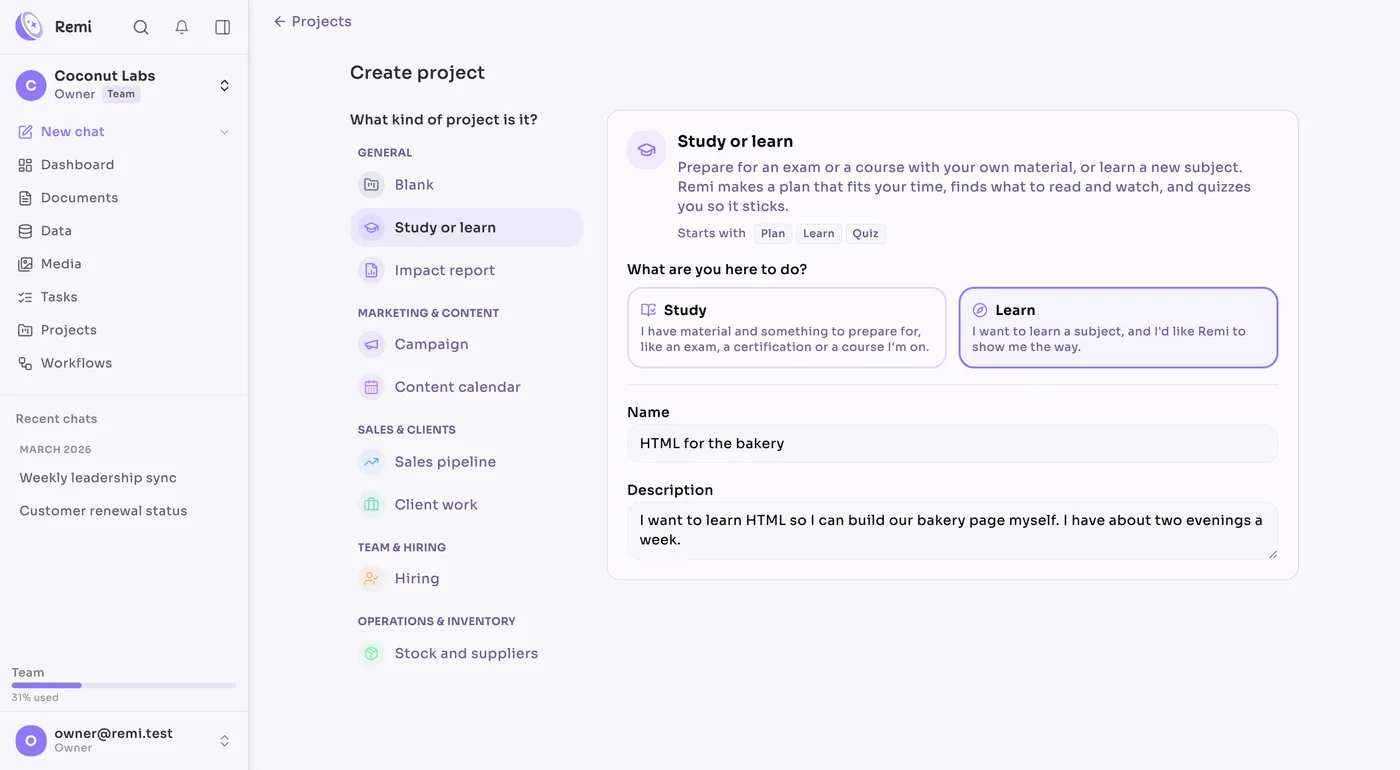
- BlankDocuments, facts and sheets. Use it for anything.
- Study or learnA plan, readings and quizzes, for an exam or a new subject.
- Impact reportA report drafted from your files, one section at a time.
- CampaignAds, from the brief to the ones you approve.
- Content calendarPosts, newsletters and articles planned by date, with Remi drafting them.
- Sales pipelineLeads from first contact to signed quote, with Remi reminding you who to follow up.
- Client workOne client: what they asked for, what you sent, what they paid.
- HiringApplicants for a role, and a screen to shortlist them one at a time.
- Stock and suppliersWhat you have, who you buy it from and what's on order.
How they look in use
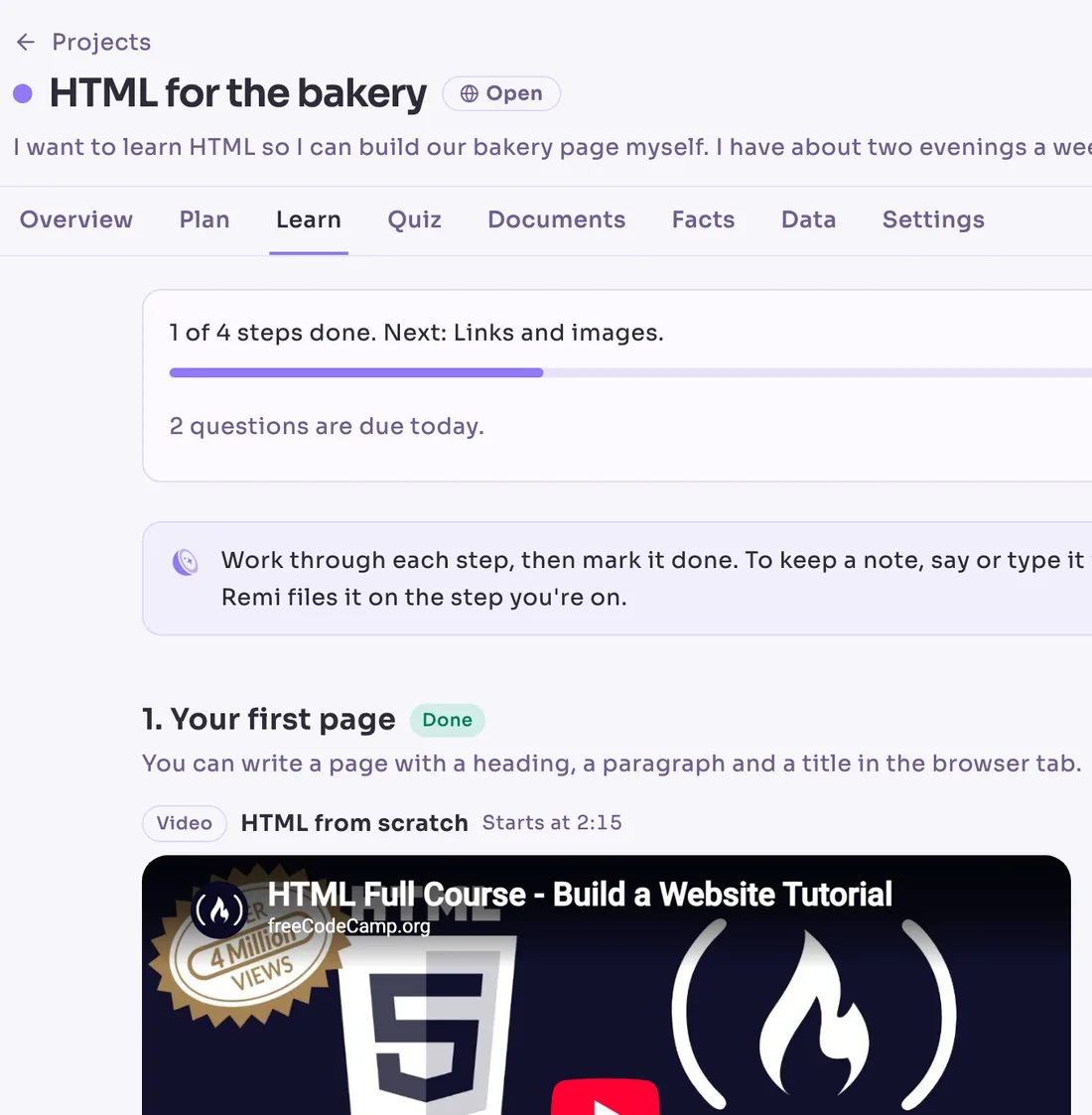
Study or learn
A plan that fits two evenings a week, with a video for each step that starts at the right minute.
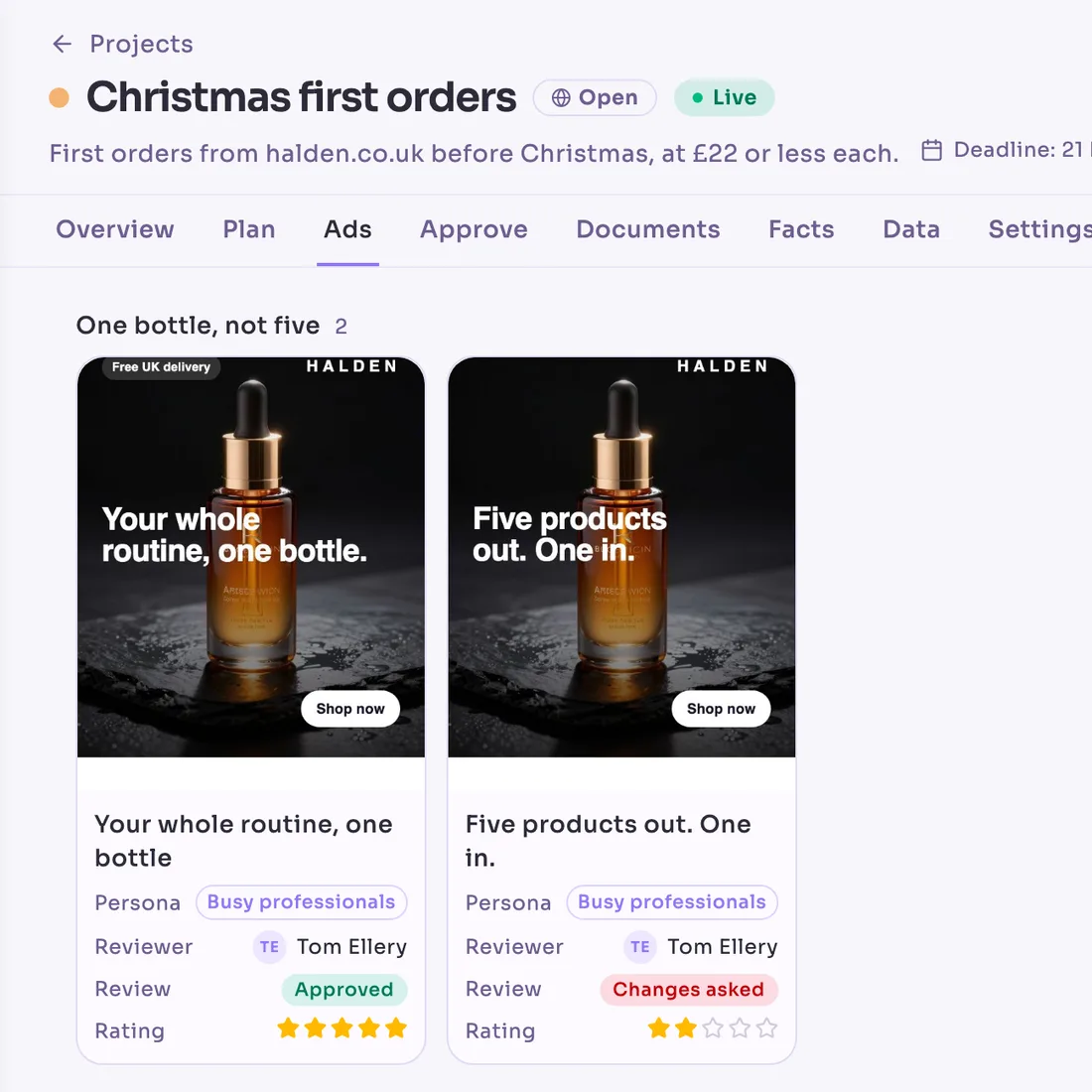
Campaign
The ads grouped by angle, each with who reviewed it and their verdict, and the campaign goes live once they're approved.
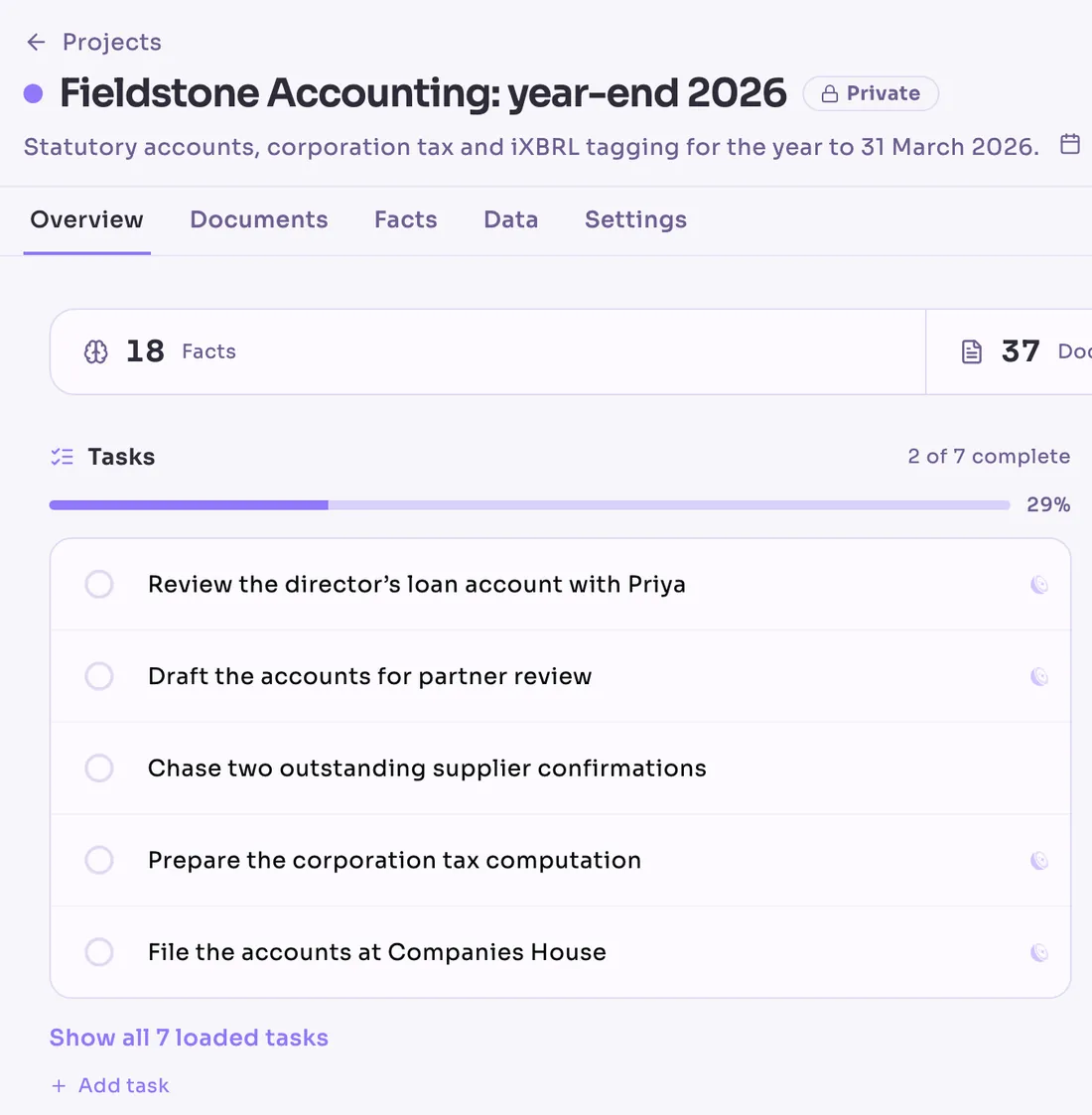
Client work
A client's year-end: what's left to do, the latest documents and the workflow that reports on it.
Inside a project
See where it stands on one page
Open a project and the first thing you see is what needs doing, what was written most recently and which workflows look after it.
Spring launch
OpenThe new range, from samples to the first ordersLaunches 14 April 2027
- Overview
- Documents
- Facts
- Data
- Settings
Overview
Open tasks and the workflows that run on it
The project's first page shows the tasks still to do and the workflows that run on it, so you know what's moving before you read anything else.
Documents
Its documents
The brief, the call notes and last year's plan. Link a file once and every chat about this project can read it, and the file stays where it is.
Facts
What Remi has learnt
The budget, the dates, who signs off and how they like to hear from you are kept with the project, so nobody has to carry them in their head.
Data
Its tables
The tables that belong to it, such as the budget or the list of suppliers. Ask them questions, or have a workflow keep them up to date.
From any chat
Type its name and ask what was agreed
Type # and the project's name in any chat, and Remi answers from its documents, facts and tables, with the source beside every line so you can check it before you act on it.
What did we agree for the spring launch?

The plan sets the launch for 14 April, once the price list is signed off. On the call on 3 June, the client confirmed the photographer is booked for 2 April.
- Launch plan
- Call notes, 3 June
Someone's off, and the work carries on
Whoever covers can ask the project what was agreed and where things stand, instead of ringing the person on holiday.
Share it with the team or keep it private
An open project is there for everyone in the workspace. A private one is only for the people you invite, which suits a sensitive matter, an HR case or a deal that isn't public yet.
A workflow writes the weekly update
Point a workflow at a project and its Monday update is written from the week's tasks and documents, and waits in the project before the meeting starts.
Questions about projects
- What can a project be about?
- Anything you keep coming back to: a client, a launch, a hire, a supplier, a course, a report. If you'd keep a folder for it, it can be a project.
- Is a project just a folder?
- No. A document can belong to several projects without being copied, and a project also keeps the facts, tables, tasks and workflows for the work, which a folder can't.
- Who can see a project?
- Everyone in the workspace, if it's open. Only the people you invite, if it's private. You can change that in the project's settings.
- How do we start one?
- From the Projects page: start blank, or pick a kind such as Study or learn, Campaign or Sales pipeline. Or ask Remi in a chat to set one up. Then link the documents and tables that belong to it.
- What happens when the work is finished?
- Archive it. Everything in it stays readable for when you come back to it, and nothing in it can be changed by accident.
Make a project for the next thing you start
Your workspace lives in the EU and is never used to train a model.
 Remiremiapp.ai